Live Match Stats
Two icons on a live match row open different views of the same serve statistics: a table (chart icon) and comparison bars (bars icon). Same numbers, two layouts — pick the one you read faster.
Opening the views
| Icon on row | Opens |
|---|---|
| Chart icon | Stat table — per set, with Stats Charts |
| Bars icon | Comparison bars — head-to-head side by side |
Both open as a pop-up over the match list. Both pop-ups update automatically. No need to refresh manually.
The stat table
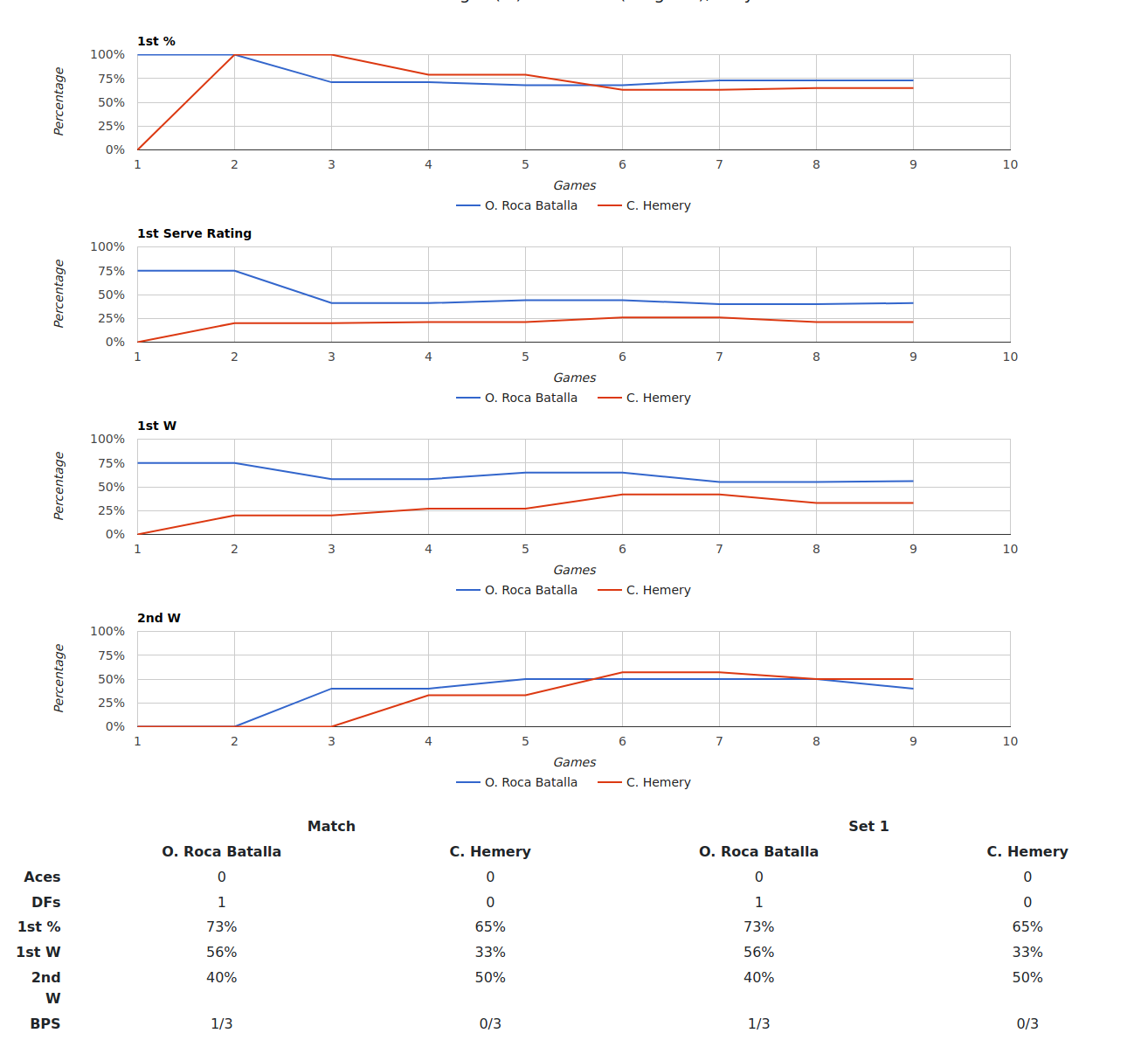
The table has a column for the full match plus one column per set in play. Only sets that have been played appear — early in a match you'll see fewer columns.
Rows cover the same six serve stats shown on the match row, plus Stats Charts above the table that visualise the numbers.
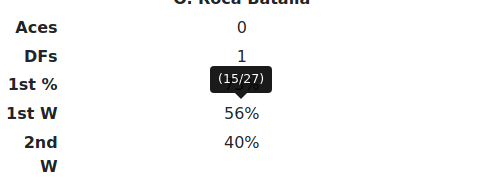
Hover 1st W or 2nd W for the raw point count behind each percentage.
The comparison bars
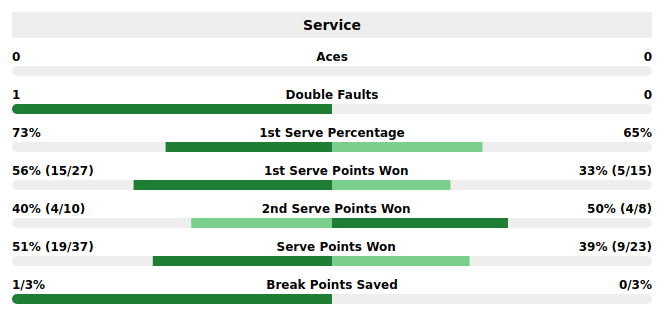
The bars view shows the same six stats as head-to-head horizontal bars — one bar per player per stat. Useful for an at-a-glance read of who leads in each area without reading precise numbers.
This view updates periodically on its own.
Colour coding
Both views use the same traffic-light colours as the match row: green = strong, red = weak. Thresholds differ for men's and women's matches — judge by colour, not by a fixed number.
Stat definitions
See the Glossary for exact definitions of Aces, DF, 1st %, 1st W, 2nd W and BPS.
Notes
Both views update automatically.
Only sets in play are shown. A first-set match shows fewer columns than a third-set decider.
The icons appear only when live stats are available for a match. A missing icon means there's no data to show yet — not a fault.
The Contextual Stats icon has different conditions from the chart/bars icons. See Contextual Stats.
Tips & Tricks
- Use the table for exact figures; use the bars for a quick who's-ahead read.
- Hover 1st W / 2nd W in the table for the raw count behind each percentage.
- If the chart icon shows but Contextual doesn't, that's expected — different conditions govern each.
FAQ
How do I open a match's detailed stats? Click the chart icon on the row for the table view, or the bars icon for the comparison view. Both open as a pop-up over the list.
Do these figures update while the page is open? Yes. They update automatically.
Why are only some sets shown? Only sets that have been played appear, so early matches show fewer columns.
Why are the numbers coloured? Same traffic-light logic as the match row — green = strong, red = weak — with different thresholds for men's and women's matches.
Why do the stats icons not appear on some matches? Because there aren't live stats to show yet. Icons appear once a match has produced enough data.
Why is the Contextual icon missing but the chart icon present? They have different conditions. The chart icon shows whenever live stats exist; Contextual shows only when the live situation makes situational history relevant (and always on My Matches). See Contextual Stats.
Are these the same stats as on the stats site? Same definitions, measured live here. The stats site holds the historical version. Shared definitions are in the Glossary.