Alerts & Signals
Alerts are the core of LSM. When a key moment happens in a live match — a break of serve, a missed break-point chance, a comeback — you get an alert on screen and, optionally, a sound. The alert is the visual; the sound is the audio. Both fire on the same events.
This page is the single reference for every alert you can see. Sound setup (how to arm it, mute it, preview it) lives in Turning On Sound.
How alerts work
Alerts appear in the Alerts column on LIVE and My Matches rows.
- A blinking alert means the event just happened — in the last minute or so. Once it's older the blink stops, but the alert stays on the row.
- The same break won't re-blink every time the page updates — a blink means "new."
- A row can show multiple alerts at once from up to four independent slots (a break, a missed-break-points signal, an equal-breaks signal, and a break- recovery signal can all appear together).
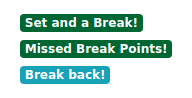

The complete alert catalog
Every alert you can see, what it means, and whether it also produces a sound.
| Alert | Dynamic form | Also a sound? |
|---|---|---|
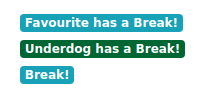
| Favourite has a Break! | — | Fav break |
| Underdog has a Break! | — | Underdog break |
| Break! | — | — |
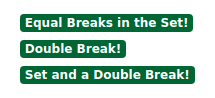
| Double Break! | — | — |
| Break back! | "[Player] has broken back" | Fav or Underdog break (whoever broke back) |
| Set and a Break! | — | Set complete / Fav LOST set 1 |
| Set and a Double Break! | — | Set complete / Fav LOST set 1 |
| Missed Break Points! | "[Player] just missed N Break Points!" | — |
| Equal Breaks in the Set! | includes count | — |
| Recovered one of the breaks! | "[Player] has recovered one of the breaks!" | — |
| (sound only — no alert) | Match start | Match start |
| (sound only — no alert) | Set complete | Set complete |
Favourite vs underdog
The alert labels "Favourite" and "Underdog" are decided by odds: the lower-priced player is the favourite. When odds aren't available for a match, you'll see the neutral "Break!" alert instead — the break is still real, just unlabelled.
Dynamic labels
Some alerts substitute a player's name or a count at the moment they fire:
- Break back! shows as "[Player] has broken back" — you know exactly who recovered without checking the score.
- Missed Break Points! shows as "[Player] just missed N Break Points!" — the count tells you how many chances were wasted.
- Equal Breaks in the Set! includes the break count.
- Recovered one of the breaks! names the player.

What each alert family means
Break alerts (IDs 1–7) — only one of these shows at a time on a row. They track the break-of-serve situation in the current set: who's up, by how much, and whether a break happened at the end of a set.
Missed Break Points (ID 8) — the leading player failed to convert one or more break-point opportunities. A signal that pressure was not converted.
Equal Breaks in the Set (ID 9) — both players have broken the same number of times in this set; the break advantage is level again.
Recovered one of the breaks (ID 10) — in a multi-break situation, the trailing player has won one break back, narrowing the gap without fully levelling it.
Notes
A blinking alert = the event is fresh, less than a minute old. The blink stops; the alert stays. The same break won't blink again every update.
Favourite = lower-priced player. When no odds are available, the neutral "Break!" label appears instead of favourite/underdog.
Alerts reflect the current situation, not a history log. When the situation changes (e.g. a break is broken back), the alert updates or disappears.
Two sounds — match start and set complete — have no alert. Hearing one without seeing a new alert is expected.
Tips & Tricks
- Watch the Alerts column on LIVE and My Matches — that's where signals land.
- Blinking = look now; steady = this already happened.
- Multiple alerts on a row = multiple things happened; read them together.
- Pair sound with the visual alerts so you catch alerts on matches you're not actively looking at.
- If you only ever see plain "Break!" on a match, its odds are missing — not a bug.
FAQ
Why is an alert blinking? The event happened in the last minute. The blink is a "look now" signal; it stops once the event is older, but the alert stays on the row.
When do I just see "Break!" with no favourite/underdog? When the match has no odds available, so we can't say who's the favourite. The break is real — just labelled neutrally.
What does "Double Break!" mean? The same player is two breaks up in the current set — a strong lead that set.
What does "Break back!" mean, and why does it show a player's name? The player who'd been broken has broken straight back, cancelling the deficit. It names the player so you know who recovered without checking the score.
What does "Equal Breaks in the Set!" mean? Both players have broken the same number of times in this set — the break advantages cancel out, serve advantage is level again.
Do alerts and sounds fire on the same events? Yes. The alert is the visual signal; the sound is the audio one. Two sounds (match start, set complete) are audio-only with no alert. See Turning On Sound.
Why did an alert disappear? The situation changed — a break was broken back, or the set ended and the score reset the situation. Alerts reflect the current state, not a permanent log.